
What Sets Icons8 Apart From The Pack
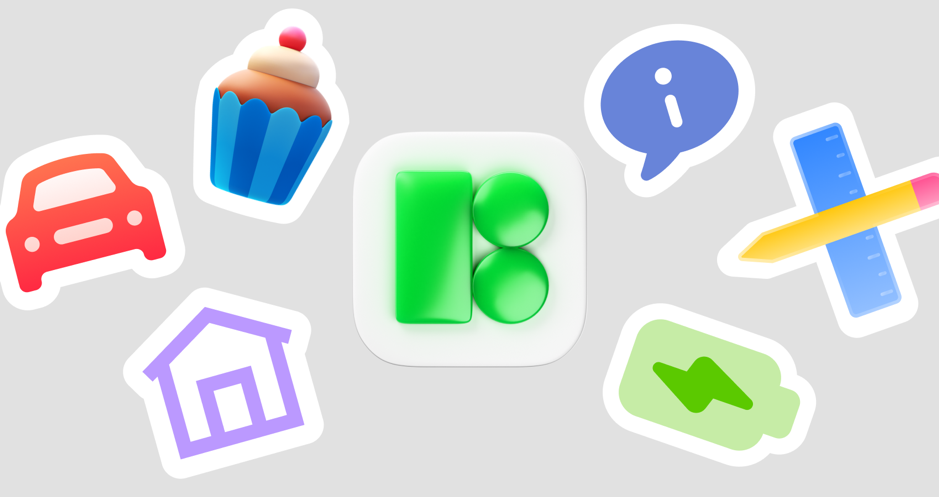
Icons8 is a curated, multi-style icon library built by one team, not a marketplace. Centralized authorship keeps metaphors, proportions, and stroke logic consistent across sets, so the same screen ships on iOS, Android, and Windows without a style mismatch. The catalog spans monochrome, color, 3D, and animated icons in SVG, PNG, and PDF, plus a CDN-style image endpoint for flexible delivery. Designers get coherent families that follow platform idioms. Developers get stable naming and URLs. Marketers and educators get art they can recolor and resize in seconds. In practice that means fewer design exceptions, fewer Jira tickets about one-off icons, and faster reviews because consistency is the default.
Coverage And Style System
Icons8 maps core product metaphors across multiple platform-native aesthetics. Apple-flavored glyphs use simplified silhouettes and tight optical alignment for toolbars and tab bars. Material variants follow Google’s MD3 shapes on 24 px grids with the right stroke and corner softness. Fluent 2 icons (Microsoft’s 2022 update) maintain consistent radii and softer geometry that land well in Windows apps and web dashboards. Beyond platform styles, you’ll find Pastel, Color, Cute Outline, Doodle, 3D Fluency, and animated sets. The same idea like Share or Bookmark shows up across these looks, so teams can pivot styles without rewriting metaphors. Cross-style parity is unusually strong, so translating whole screens from Material to Fluent rarely requires bespoke art.
Precision, Grids, And Legibility
Most sets are drawn on 24 px or 20 px grids with consistent padding and stroke families around 1.5–2 px for outlines. Negative space is tuned so holes in cameras or counters in letters don’t collapse at 16–20 px. Stroke junctions avoid blobby anti-aliasing on low-DPI displays. Diagonals get optical nudges so arrows and chevrons read cleanly at 12–16 px. The payoff: fewer notes like “looks heavy at 1x” and fewer fixes for Windows non-retina monitors, Android mdpi devices, and exported PDFs.
Editing And Customization Without Round-Trips
- Recolor monochrome SVGs by hex or map them to CSS tokens.
- Adjust stroke weight to match your system’s typography and density.
- Add background shapes with padding for chips and action pills.
- Batch-export multiple sizes for favicons, toolbars, and slides.
Multicolor and 3D sets still batch well, but recoloring is constrained once gradients and materials enter; treat those as style decisions, not blind tints.
Delivery Options For Developers
- Direct SVG/PNG downloads for bundlers and asset pipelines.
- The img.icons8.com endpoint with composable URLs for style, size, and color. Great for CMS-driven sites where editors pick a slug and the server returns the right asset, cached at the CDN edge.
- Pichon on macOS and Windows for offline browsing and drag-and-drop into IDEs or design tools, handy on locked-down networks or planes.
Inline SVG remains the web gold standard for theming and a11y. Many teams inline critical UI icons and lean on the CDN for editorial art to keep bundles light.
Animation, 3D, And Expressive Sets
Animated icons ship as Lottie JSON and GIF. Drop them into onboarding, empty states, and success or error nudges without custom After Effects work. Lottie stays sharp at any DPI and can inherit theme colors when fills are solid. Fluency 3D solves hero spots on landing pages and feature promos. These render well on light and dark UIs and come as PNGs and occasionally glTF previews. Use them for callouts, slides, and courseware, not 16 px toolbars. When tone matters, expressive pictographs and emojis add warmth for worksheets, LMS modules, and social posts.
Tooling: Lunacy, Plugins, And Real-World Speed
Lunacy, Icons8’s vector editor, fits Windows-centric teams, opens Sketch files, supports Auto Layout, and integrates the icon library. On macOS, Figma, Sketch, and Adobe XD plugins streamline the same search-insert-recolor flow. Because icons share grids and stroke logic, resizing and theming hold up. In classrooms, Lunacy and Pichon deploy easily on lab machines. In publishing stacks, non-designers can fetch consistent art from the web UI without pinging designers.
Choosing For Designers And Design Students
Design system work benefits most from consistent geometry: matched stroke weights, radii families, and stable metaphors shift reviews to interactions instead of art fixes. Students learn platform idioms faster by comparing styles side by side and can prototype credible UIs without wrestling with 16 px vector drawing. That frees time for layout, type, and motion studies, the skills that compound.
For Developers Shipping On Multiple Platforms
If you target React Native, Flutter, or Electron, style parity is pragmatic. Load Material on Android, Fluent on Windows, and a Glyph look on iOS with the same underlying concept IDs. Web apps can tree-shake critical SVG imports, build an icon sprite for core UI, and defer-load marketing art via the CDN to protect Time to Interactive. Accessibility is straightforward: add title and desc to inline SVGs, and mark decorative icons as presentation or aria-hidden. Clean shapes help filled variants meet WCAG contrast when backgrounds cooperate.
For Marketers And Content Teams
Unify decks, blogs, and product pages in a morning: pick a style, lock a brand hex, choose two sizes, and assemble a small local pack. Color sets and 3D art replace tired stock photos in hero zones. Short Lottie animations do more for feature launches than three paragraphs of copy. In CMSes, deterministic img.icons8.com URLs make templating simple, whether you’re on attribution-required free tiers or clean paid plans.
For Startups And Product Teams
Early-stage teams need speed and cohesion. Icons8 gives you a visual baseline across mobile, web, docs, and marketing. When you commission custom icons later, your current set becomes the spec: counts, sizes, and states already work in production. The request mechanism covers gaps without hunting for a contractor. Popular concepts in fintech, health, or logistics often land quickly.
For Educational Projects And Teachers
Outline and filled sets print cleanly and survive low-res projectors. Platform styles are teachable, so students learn to recognize Apple, Material, and Fluent cues. Animated icons make state changes obvious when teaching interaction or front-end basics. The web interface lets students pull a consistent pack for assignments without heavy installs, which keeps grading focused on hierarchy and clarity instead of clashing art.
Licensing, Compliance, And Practicalities
Free usage usually requires attribution and may limit output size or format, which is fine for prototypes, school work, and personal blogs. Paid plans remove attribution, unlock higher resolutions and more formats, and cover commercial apps and campaigns. Team plans handle seats and audits. Watch brand marks and regulated symbols: social logos need platform-compliant color and clear space; health and finance metaphors deserve a pass from compliance, since prescription and legal symbols vary by jurisdiction.
Shortcomings And Trade-Offs
Multicolor and 3D icons don’t recolor cleanly with CSS, so plan exported variants rather than runtime tints. Search can surface near matches before exact ones on niche keywords, so learning the naming taxonomy saves time. You’ll still request or custom-draw hyper-specific industry metaphors like uncommon lab gear or esoteric logistics states. Relying solely on the CDN for core UI adds a third-party dependency, so inline critical icons for resilience.
Competitor Landscape In Context
Material Icons and Fluent System Icons are first-rate if you embrace those aesthetics exclusively. They’re free and perfectly aligned to their platforms, but they don’t cover marketing, animation, 3D, or expressive art at the same depth. The Noun Project is unmatched for rare concepts, yet consistency is hard; different authors use different grids, corner logic, and metaphors, so you’ll normalize the look yourself. Font Awesome remains convenient but inherits icon-font limits like aliasing quirks, color constraints, and heavy payloads if you include many glyphs; modern SVG pipelines beat it. Phosphor and Heroicons are excellent open-source sets with coherent design and a couple of styles; if you need cross-style parity or marketing-friendly families, you’ll supplement them. Icons8’s niche is curated breadth with platform parity and delivery tooling, which reduces context switching when your product spans OSs and your brand needs multiple voices.
Practical Selection Blueprint
- Pick your base UI style (Material, Fluent, or Glyph) and lock two sizes: 16–20 px for dense UI and 24–32 px for nav.
- Set a stroke weight for outlines and a corner radius policy to match components.
- Choose one expressive family for marketing or education and one motion set for empty states or feedback.
- Build a private registry of concept slugs mapped to icon IDs and enforce it via lint rules or Figma components.
Maintenance And Future-Proofing
Guidelines shift. Material Design 3 arrived in 2021, Fluent 2 in 2022, and Apple’s HIG evolves regularly. Icons8 updates families to track these moves. Because assets are vectors with consistent naming, upgrades feel like find-and-replace, not redesign. Keep icon mapping in a token or alias layer and you can swap styles with minimal code churn. In regulated environments, snapshot the subset you ship even if you use the CDN elsewhere, which guarantees reproducible builds and smooth audits.
Bottom Line For Each Role
Designers: coherent sets across OS idioms, clean geometry at small sizes, and tools that kill unglamorous editing tasks.
Developers: predictable SVG delivery, a solid CDN endpoint, offline packs, straightforward a11y, and easy theming for monochrome sets.
Design students: quick prototyping, platform literacy via side-by-side styles, and assets that print and present cleanly.
Marketers and content managers: one visual voice across decks, blogs, and ads, plus animated and 3D options for launches.
Startups: immediate speed and cohesion, then a clean migration path to custom iconography without rethinking metaphors.
Educational projects and teachers: readable assets for worksheets and slides, motion for demonstrating state, and minimal setup overhead.

Icons8 Under the Microscope: A Technical Review added by rctadmin on
View all posts by rctadmin →
You must be logged in to post a comment Login